
Ask Office AI
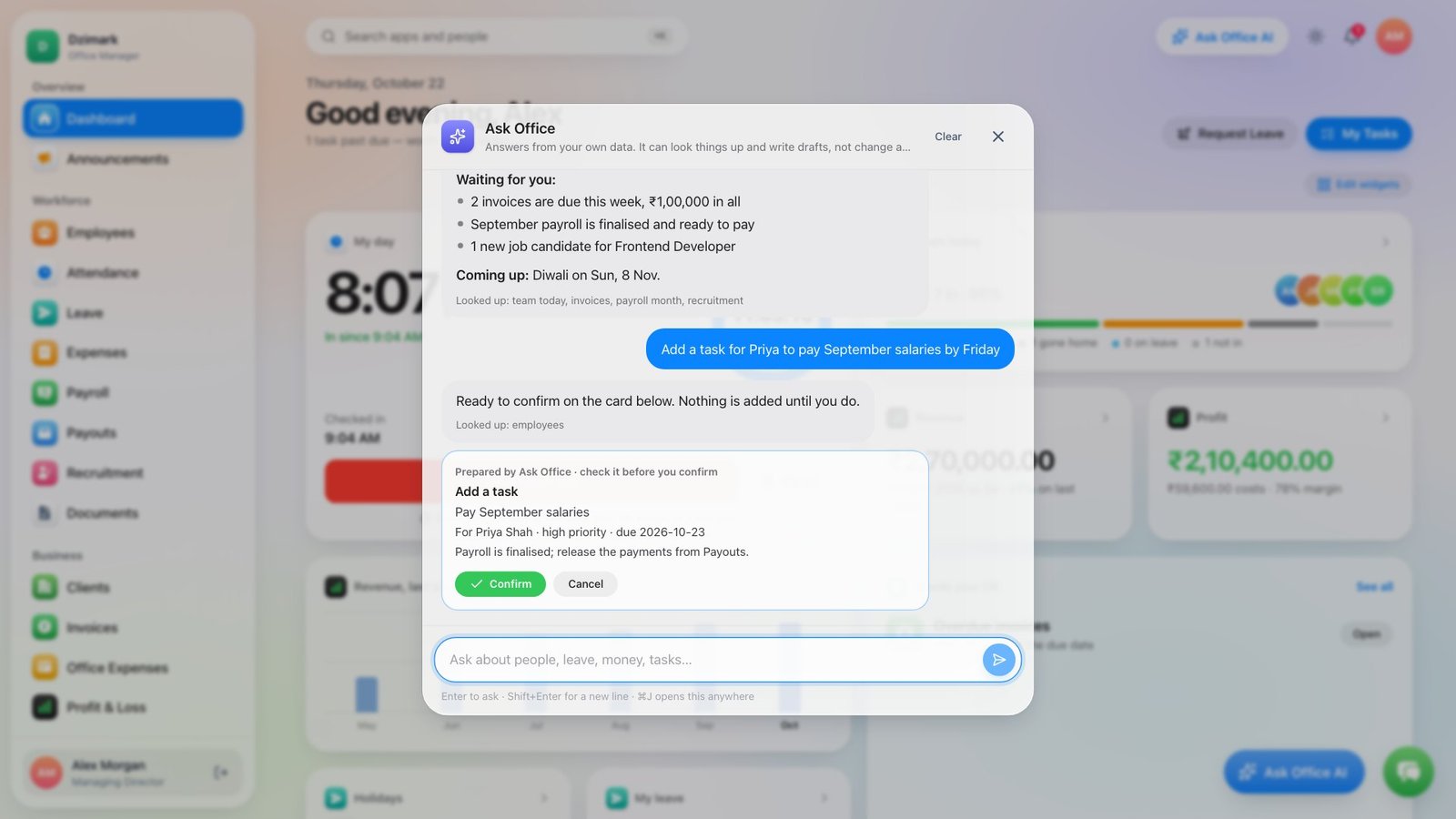
Ask in plain words who's in, what's overdue or how payroll looks. It answers from your own records and prepares leave approvals, tasks and notices for you to confirm — nothing changes until you do.
Office Manager by Dzimark
1-month free trial
Attendance, leave, payroll, HR letters, invoices, projects and an AI assistant that knows your office — one system your team uses every day, installed on hosting you control, with its own database.
1 month free · Card or UPI AutoPay · Cancel anytime
An 80-second tour of the new version — the same software you install.
One system for
Features
Built for Indian and international teams — rupee-first, multi-currency where you need it. These are real screens from a demo company.
Ask in plain words who's in, what's overdue or how payroll looks. It answers from your own records and prepares leave approvals, tasks and notices for you to confirm — nothing changes until you do.
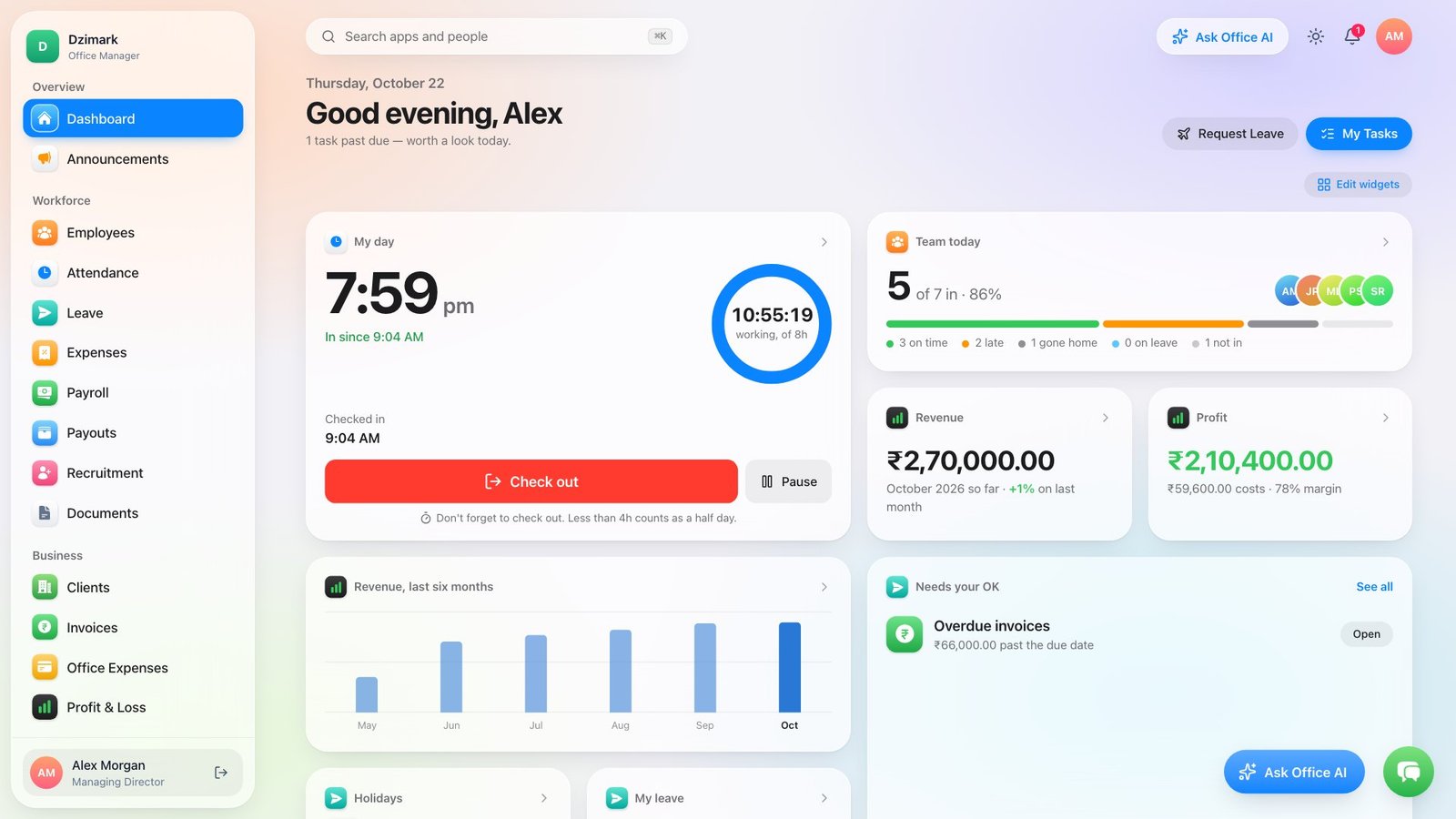
Check in with selfie and location, breaks, late marks, auto check-out and overnight shifts — with a live work timer.
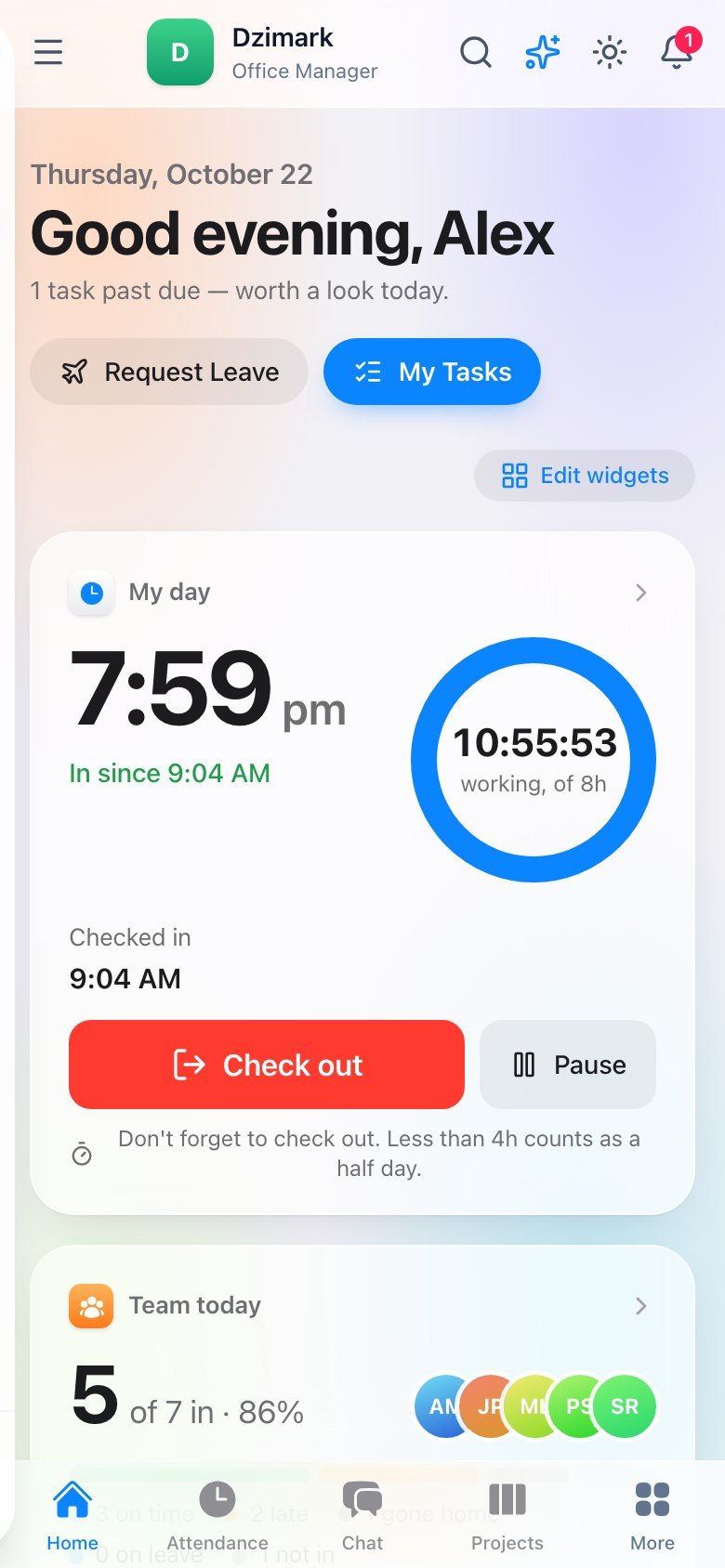
Widgets for your day, your team, revenue and profit, approvals, holidays and leave — drag them into the order that suits you.
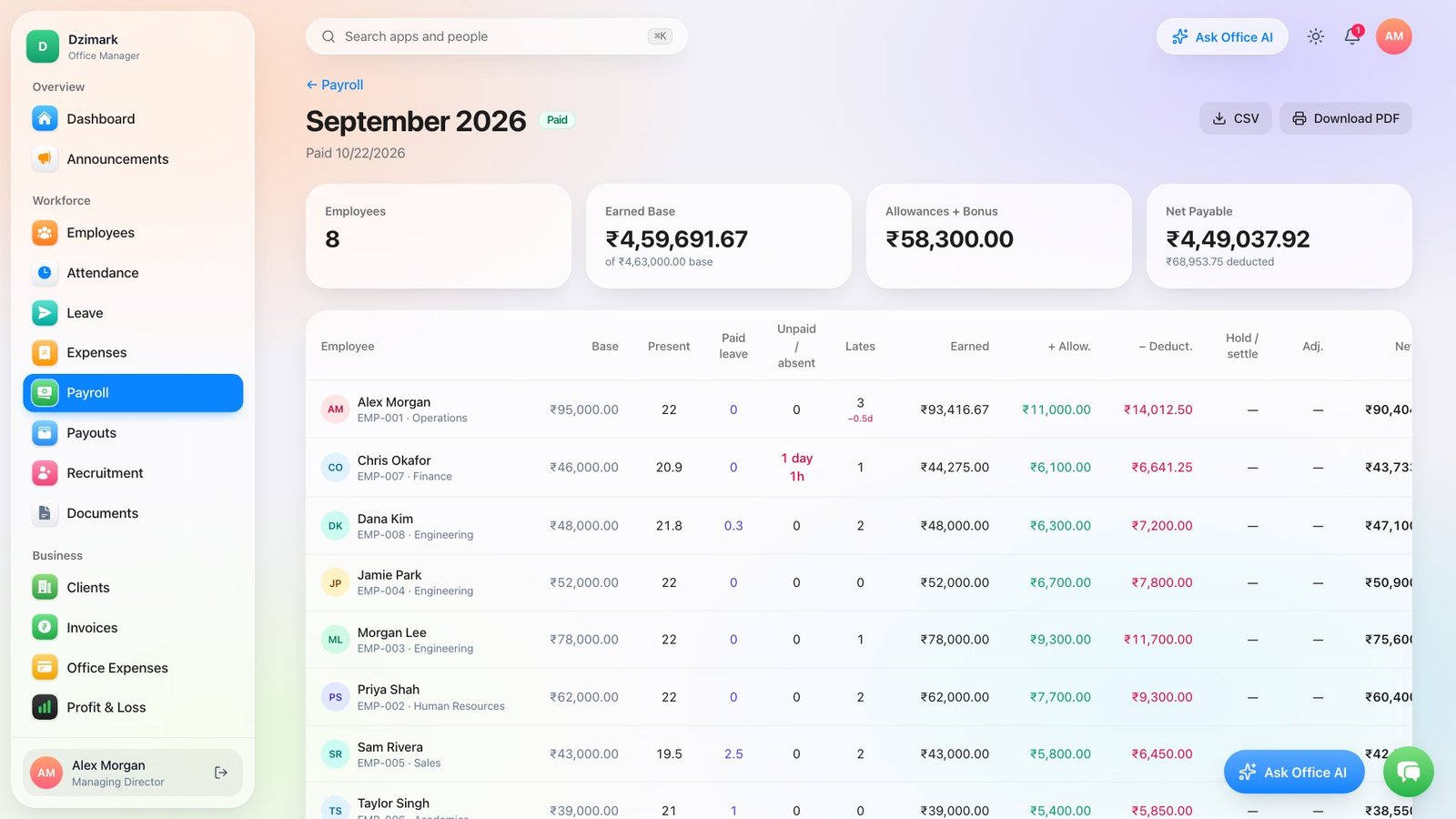
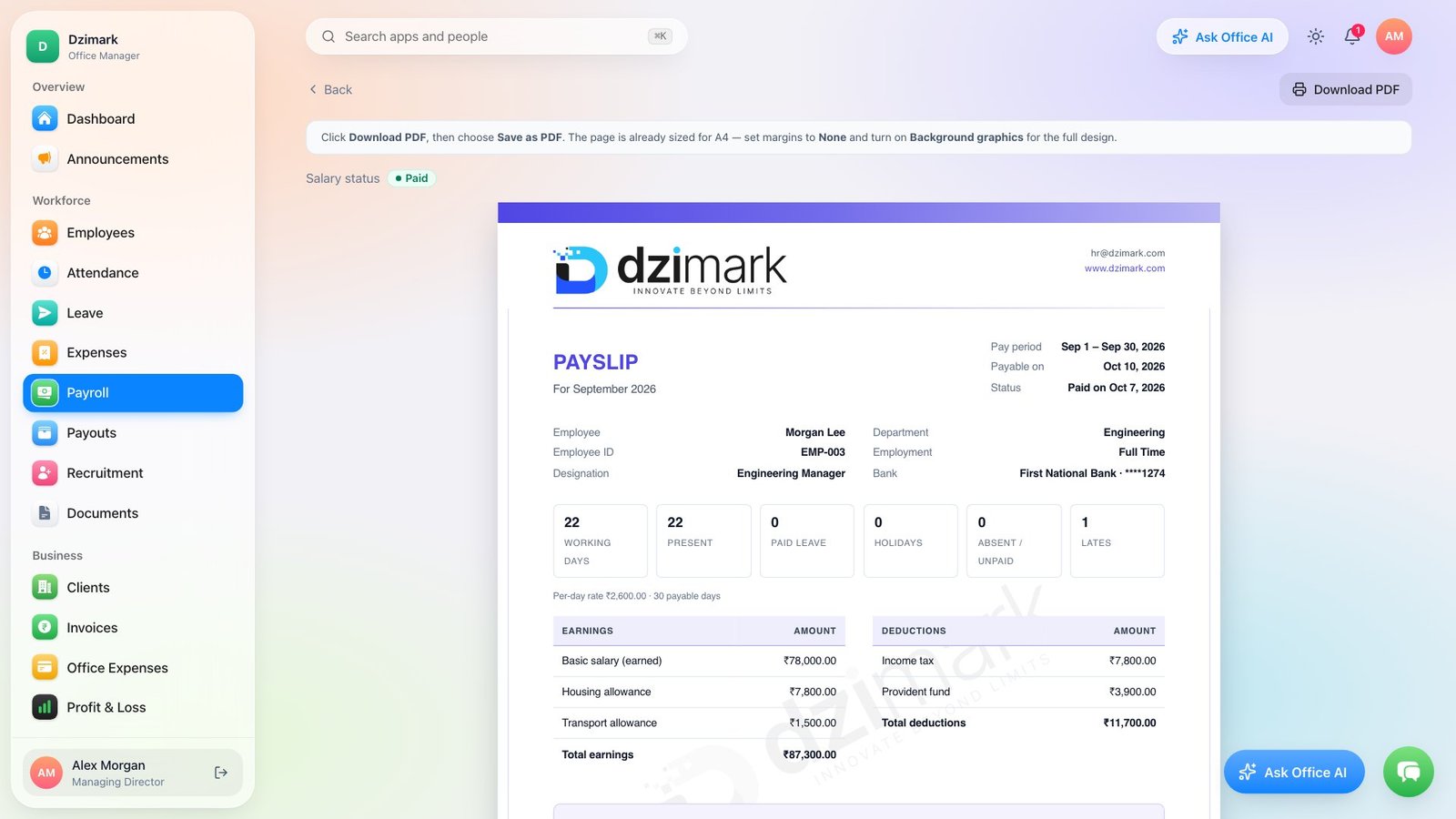
Present days, leave, lates and holds worked out for you — allowances, deductions and final settlement included. Review, adjust, finalise.
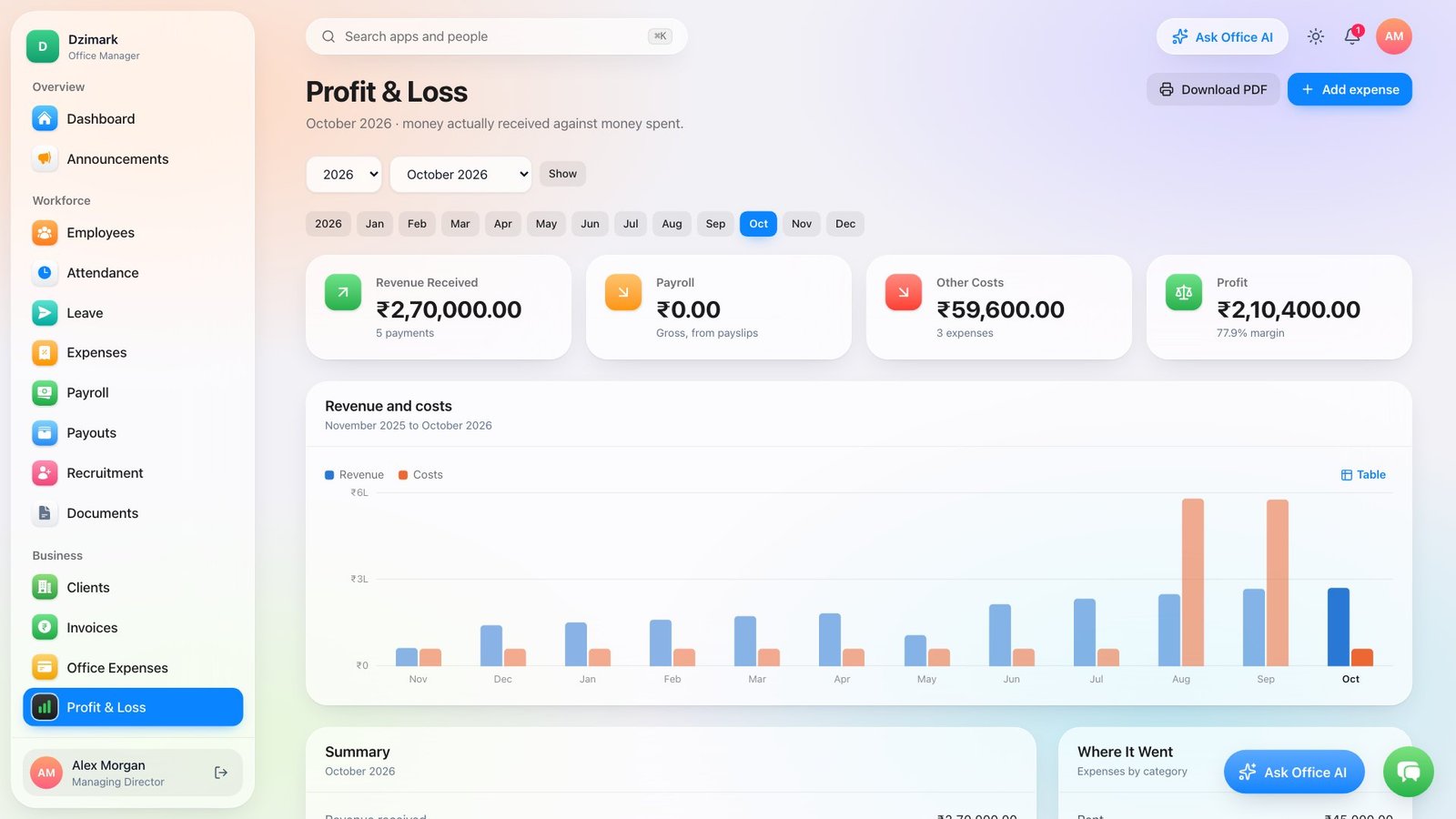
Money received against payroll and costs, month by month — and graphs for payroll, fees, leave and hiring across the app.
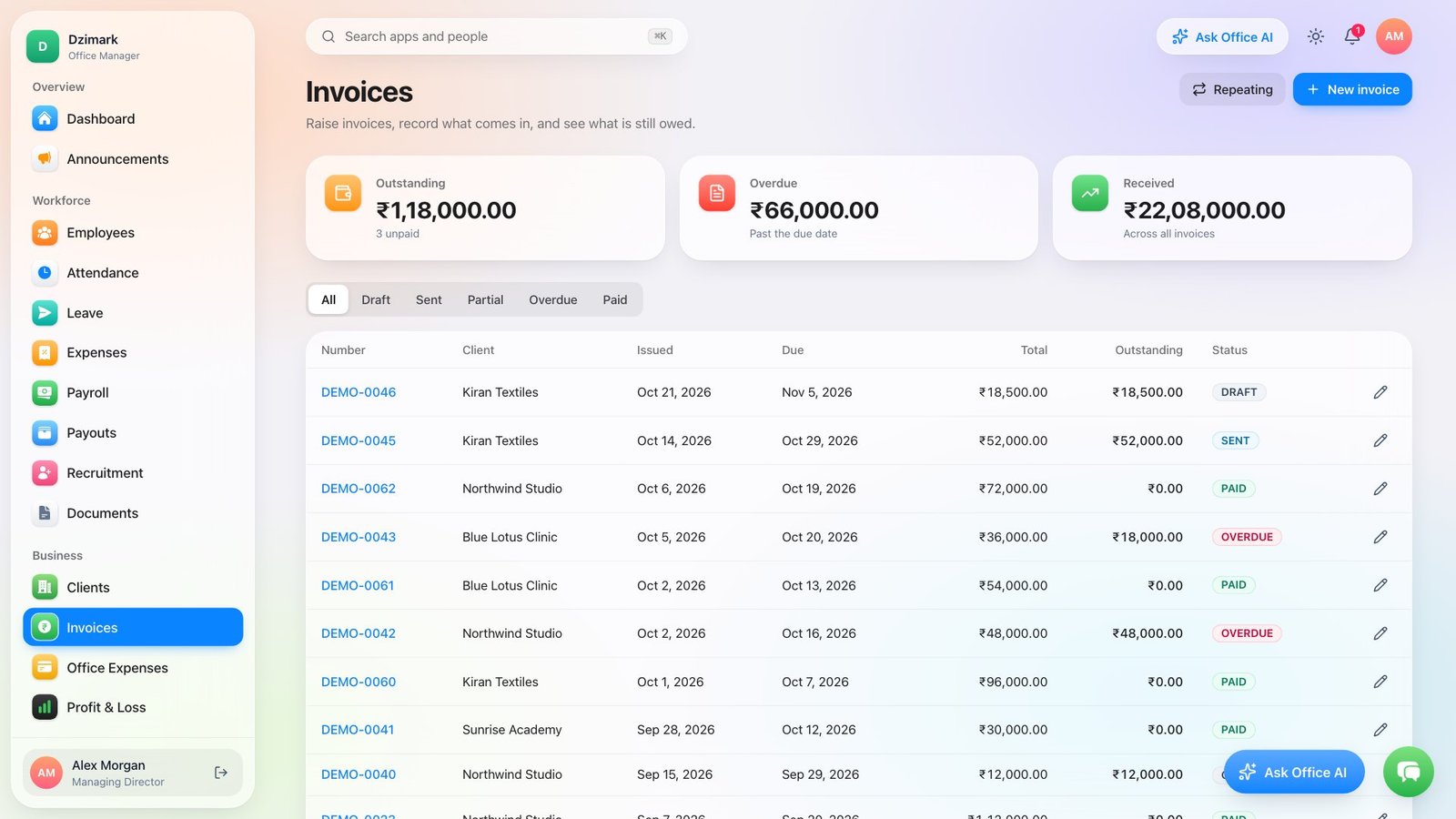
Track sent, paid and overdue invoices, with payments recorded automatically.
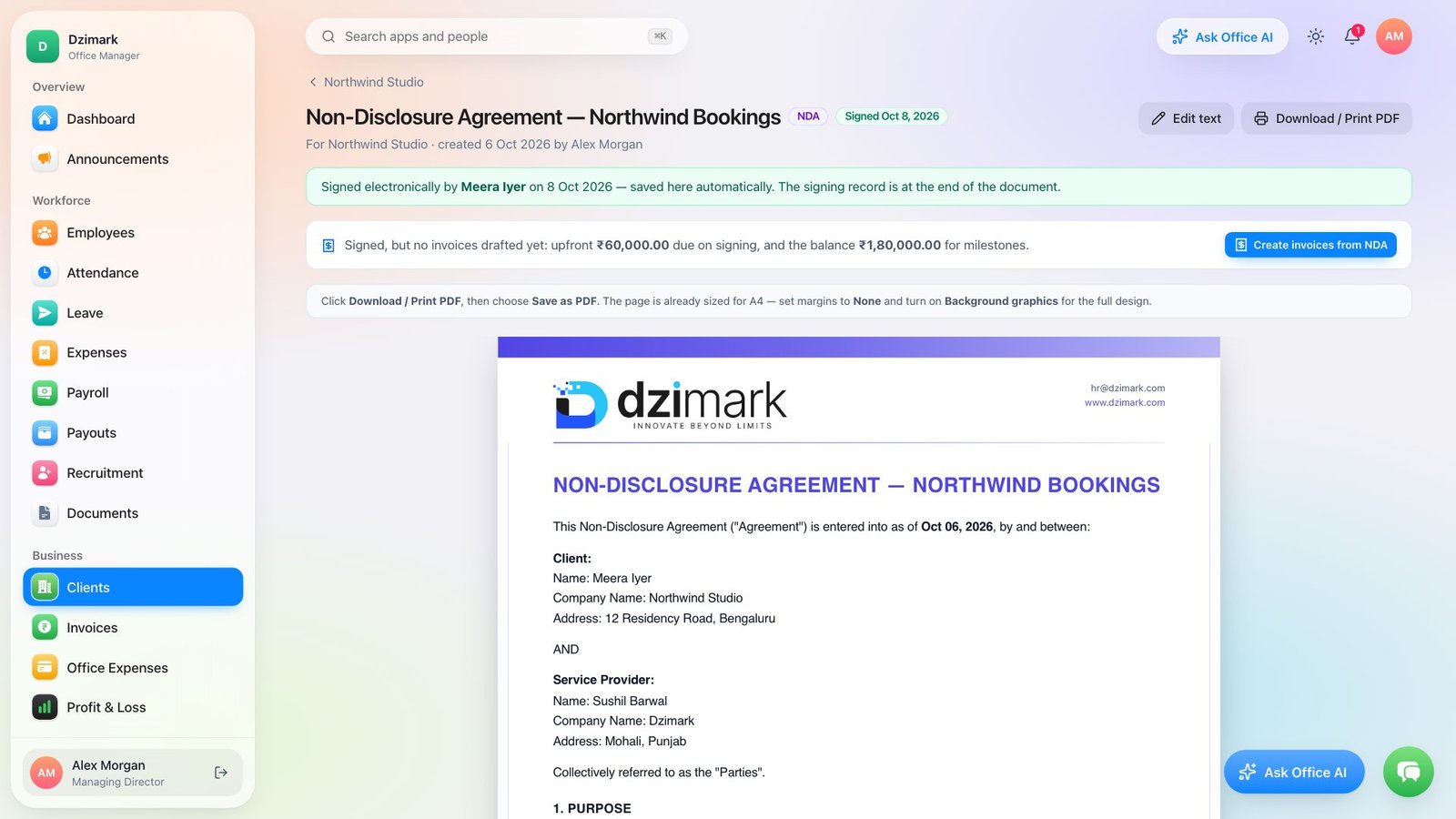
Send a link, the client signs, and invoices are drafted from the agreed terms.
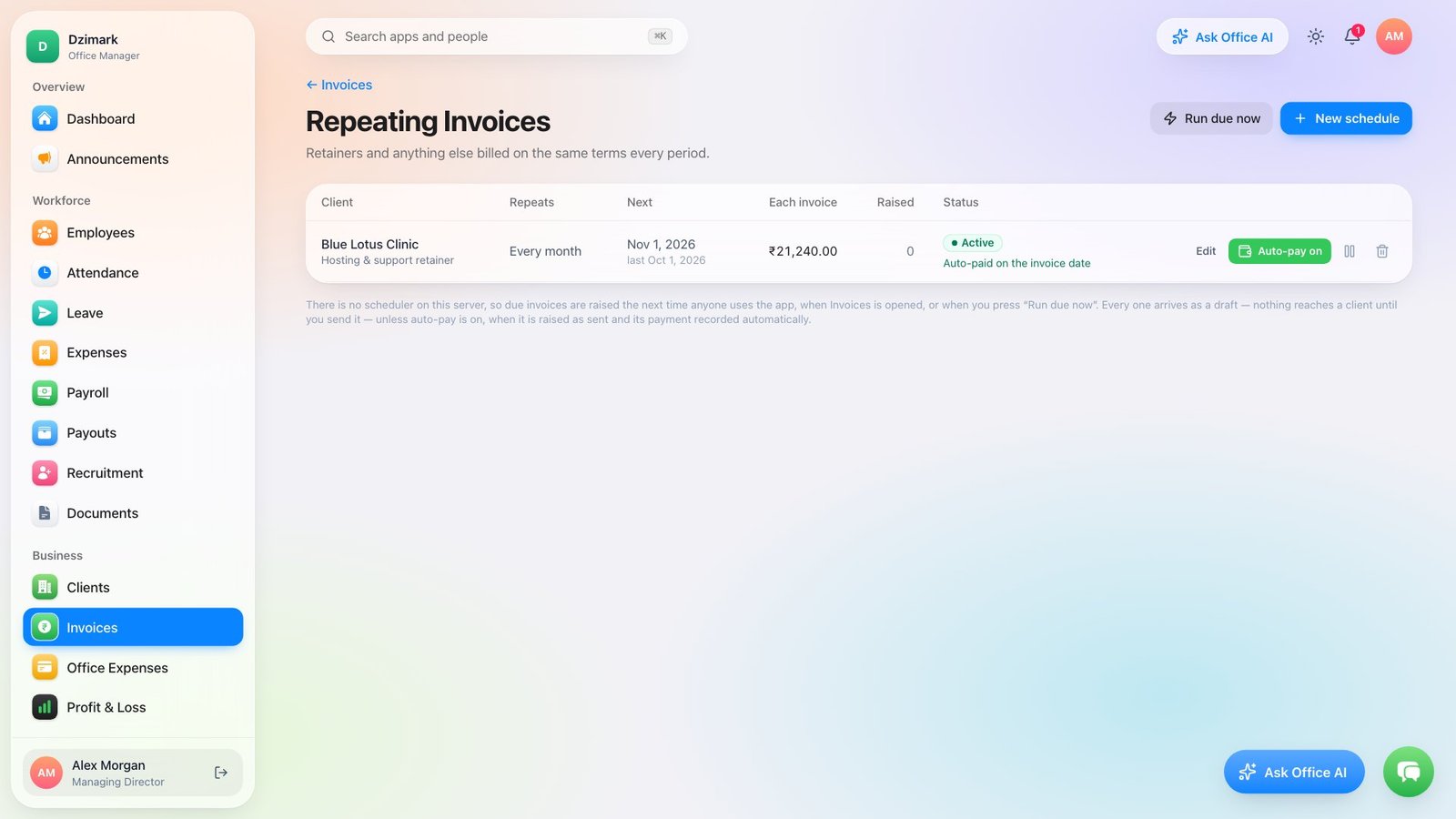
Repeating invoices raise on schedule — with auto-pay, the payment is recorded on the invoice date too.
Payslips, offer, experience and relieving letters — stamped, signed and ready as PDF.
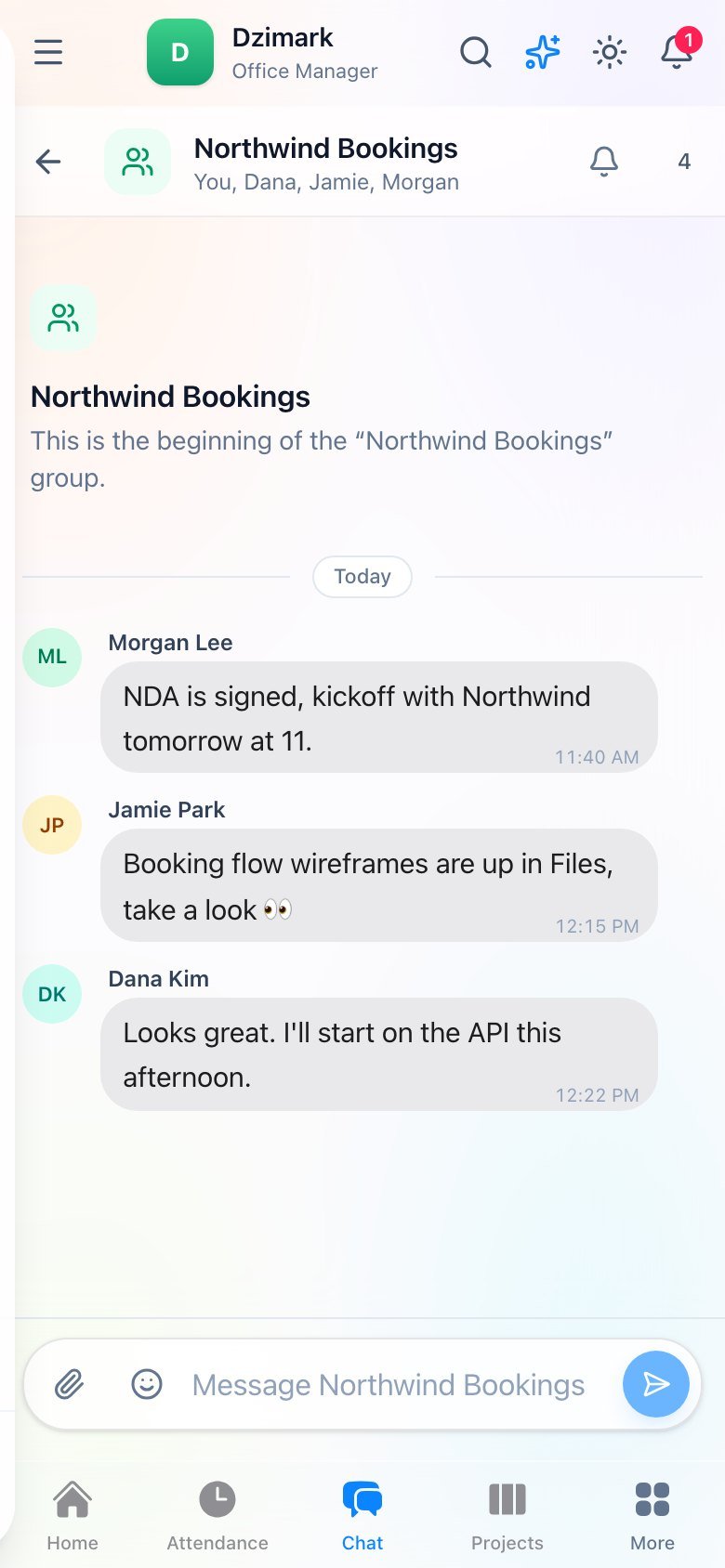
Groups, direct messages with photos and files, and company-wide notices — with push notifications.
Your own leave rules: half days, short leave, quotas, approvals, notice periods and exits.
See where field staff are during working hours — with privacy controls and history you can erase.
Kanban boards, daily reports by department, and everything tied to the people doing it.
Timers or manual entries across days and weekends, then bill the hours at the agreed rate.
Careers and admission forms on your site, with every candidate and student in one pipeline.
Install it like an app on phones and desktops — your staff use it every day.
Why self-hosted
Salaries, ID documents and client contracts are the most sensitive data a company has. Office Manager keeps them where you can see them.
Office Manager
Typical cloud SaaS
Sensitive fields and files are encrypted with a key that only exists on your server.
Your license key can't be forged or shared, and you can move it whenever you like.
The key extends itself when you renew; a brief outage on our side doesn't stop you.
Pricing
Every plan includes every feature — you only choose how many people use it.
Every plan includes
1-month free trial
Add a card to start — nothing charged for 1 month, cancel anytime.
Choose by the number of people who sign in.
For growing companies with HR and payroll
$39/month
Up to 30 users
Start 1-month trialUnlimited users for the whole organisation
$89/month
Unlimited users
Prices in US dollars · any major card · taxes extra where applicable.
How it works
No sales calls, no migration project — three steps from sign-up to your whole team using it.
Create your account — your 1-month trial starts today; the first payment is after the trial.
Get the zip or Docker image from your account and follow the setup wizard.
Invite your people — they use it on your own address, from any device.
1 month free · Card or UPI AutoPay · Cancel anytime
Install
Shared Node.js hosting or your own VPS — either way it runs on your address, with your database, under your control.
Then your team can sign in. Updates are a new download from your account.
cPanel, Hostinger, Plesk or any host that runs Node.js apps
A VPS or your own hardware
$ docker compose up -d
# then open the setup wizard in your browser
FAQ
The things companies ask before they install it on their own server.
Ask us anythingAsk Office AI answers questions about attendance, leave, payroll, invoices and more from your own records, writes drafts, and prepares leave decisions, tasks and notices that only happen when you confirm them. It's for administrators and HR, works with your own Venice.ai API key, and each person only gets what their role can see in the app. Only the question and the figures it looks up are sent; bank details, phone numbers, addresses and leave reasons never are.
On your own server, in your own database file. Sensitive fields and uploaded files are encrypted with a key that only exists on your server. We never see your company's data.
Your key activates one server. The system checks in with us once a day; when your subscription renews, the key extends automatically. If our servers are briefly unreachable, you keep working.
You keep full access until the end of the period you paid for, plus a 7-day grace period. After that the system locks to the License page until you renew — your data is kept, never deleted.
Yes. Release the key from your account page, then activate it on the new server. Back up the data folder and copy it across.
Any hosting that runs Node.js apps (cPanel, Hostinger, Plesk, a VPS), or Docker. The installer walks you through the license key, company details and the owner account.
Yes — 1 month on any plan. You add a card or UPI AutoPay to start it, and the first payment is only taken when the trial ends; cancel before then and you pay nothing. In India, Razorpay takes ₹5 to verify the card or UPI ID and refunds it automatically. Yearly gives you two months free.
Set it up on your own server today and have your team checking in tomorrow.
1 month free · Card or UPI AutoPay · Cancel anytime
When you sign up you get